
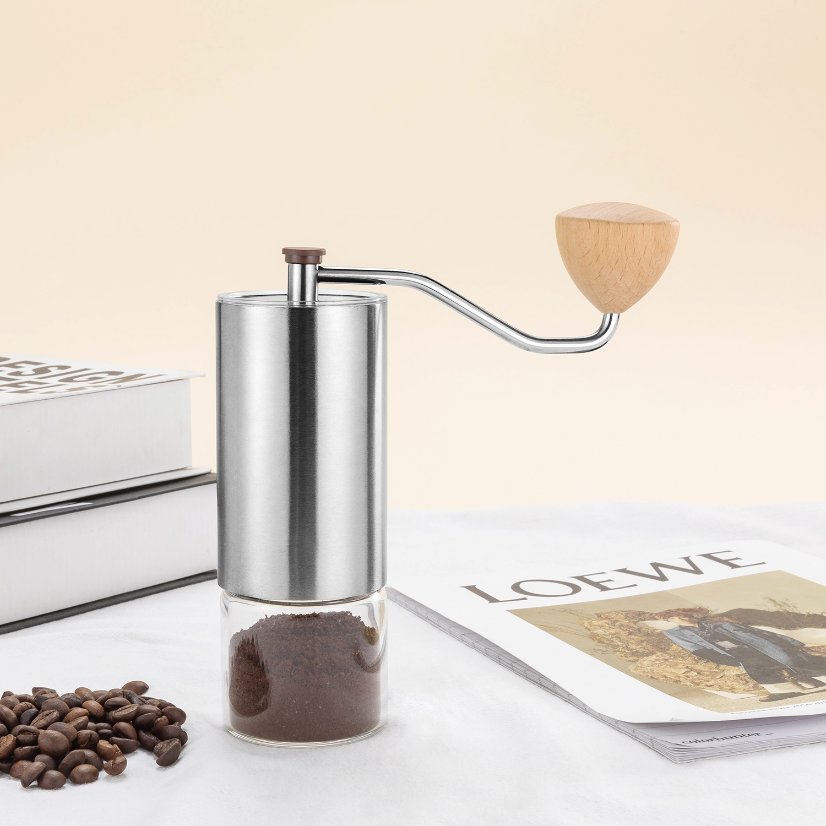
Approve a grinder care card by identifying the exact model, obtaining the supplier’s applicable instruction document and recording which wording and revision the buyer accepts for its intended use. Keep text approval separate from page layout and physical card supply. A catalogue photograph does not establish a cleaning method or show that a printed card is included. The useful buyer record connects the supplier’s actual instructions to the specific offer without inventing maintenance advice.
Keep the G1 reference exact
Hykitchenware’s historical official page identifies the G1 grinder. The reused official photograph is a model-appearance reference. It does not establish which surfaces may contact water, how the product is disassembled or what care instructions apply. Visible parts also do not resolve the scope of the supplier’s material wording. Use the G1 page to identify the enquiry, then ask the supplier which document covers the exact proposed version.
The purchasing task is narrower than a general grinder-maintenance guide. It is also different from a component-material declaration. The buyer is deciding which supplier document and text version can be associated with an identified offer. No washing, cleaning, servicing or operating steps are supplied here. If an applicable document has not been provided, leave that gap open rather than constructing instructions from a familiar grinder or an older blog article.
Separate the instruction source from the buyer’s presentation
A supplier instruction file, a buyer’s branded card layout and a physical card are different objects. The supplier may provide one without offering the others. Keep their identities separate from the start. Ask which file contains the supplier-approved wording and whether the proposed offer includes any printed document. Do not describe a layout request as evidence that printing or a language service is available.
For example, a buyer may receive a text file and later place it in a branded layout. The supplier’s approval of the text does not automatically cover every layout revision or an edited translation. The record should identify what changed and which decision needs confirmation. This avoids circulating a visually polished card whose relationship to the supplier’s actual document is unclear.
Use a model-to-document approval record
Record field | Supplier information to request | Buyer decision to retain
Model and version | Exact G1 offer covered by the document | Link the document to the intended article
Instruction source | Received file identity and stated revision | Select the text version under review
Language | Language actually supplied and requested alternatives | Keep each language’s status explicit
Text disposition | Exact wording confirmed or open questions | Record who accepted which text
Presentation scope | Any relationship to a buyer layout | Separate layout review from instruction approval
Distribution scope | Whether a card or document is actually offered | Do not assume physical inclusion
This record is deliberately blank on cleaning methods and material compatibility. Those details must come from the applicable supplier document and any separate review the buyer requires. Do not add a familiar temperature, a household treatment or a dismantling step to make a card look complete. An identified missing instruction is more useful than an unverified sentence presented as product guidance.
Make document applicability a specific question
Ask the supplier to identify which offered model or version the file covers. If one file lists several models, preserve that stated scope and ask whether the proposed G1 offer is included. If a file has no revision identifier, record its received identity and ask which version the supplier intends to approve. Do not invent a revision number or use a download date as though it were the supplier’s document revision.
Similarly, an older document can remain a historical reference without becoming the current instruction for a new offer. Ask the supplier whether it still applies and preserve the actual response. A familiar title or unchanged cover photograph cannot answer that question. Keep any uncertainty beside the document reference so another colleague can see why distribution is still pending.
Handle wording and language changes visibly
Keep the supplier’s original wording intact in the source field. Put buyer edits and questions in separate fields rather than silently rewriting the file. If another language is requested, identify the proposed translation and its relationship to the source. A translation fitting into the artwork does not establish that its technical meaning has been reviewed. Do not imply a translation or regulatory-review service merely because the buyer wants one.
A useful review can distinguish a wording question from a layout question. A line removed for space, a symbol substituted for text or an instruction moved to another panel may need an explicit decision. Record the actual proposal and the supplier’s response instead of assuming a cosmetic edit is irrelevant. This workflow identifies decisions; it does not determine the legal adequacy or safety of the finished instruction card.
Control replacement without erasing the old reference
If the supplier supplies a replacement document, identify what it supersedes and which offered article it covers. Retain the old reference as history. The buyer can then identify which files or proposed layouts need another review without pretending that an unspecified “latest version” is already approved. A physical-card question also remains separate: a revised digital file does not prove that printed stock has been replaced or even supplied.
At the end of the review, the record should state the exact model, text source, language and decision scope. It should also list unresolved gaps, including any question about physical inclusion. The result is a traceable handover file. It does not certify food-contact safety, material compatibility, service life or compliance, and it does not turn a supplier instruction proposal into an independently verified performance claim.
Frequently asked questions
Can the product photograph establish the correct cleaning instructions?
No. It identifies the historical catalogue model. Ask the supplier for the applicable instruction document. Do not derive a care method, water-contact rule or disassembly procedure from the visible parts or another grinder’s instructions.
Does text approval mean a printed care card is included?
No. Digital wording, buyer artwork and physical supply are separate questions. Ask what the actual offer includes and keep any printing or insertion request open until the supplier responds.
What if the received file has no revision number?
Preserve its received file identity and ask which document the supplier intends to approve. Do not invent a revision or treat the receipt date as the supplier’s revision date. The missing identifier can remain an explicit limitation.
Does this record replace a maintenance guide or verify safety?
No. It controls document applicability and approval scope. It supplies no care procedure and establishes no material, food-contact, certification or safety result. Relevant evidence and any specialist review remain separate.
Request the applicable G1 document
Send the exact G1 page and the unresolved document fields through the supplier contact channel. Ask for the instruction source it actually proposes for the offer. Use the blog as context without substituting general material for an exact-model supplier document.
https://hykitchenware.com/product/g1/
https://hykitchenware.com/contact/
https://hykitchenware.com/blog/